Dashboards & payables
Every step has a screen showing what is waiting.
Nine dashboards, one per step from request to payment, all built the same way. Each opens on what is waiting. Every figure is a clickable filter.
The whole cycle
One strip shows the whole process.
The home screen shows each step with a live count. Click a step showing seven to see those seven.
- Every stepRequest, approve, source, evaluate, award, contract, order, receive, pay. Each a screen.
- Your steps litYour role's steps are highlighted. New starters see their place.
- Counts that go somewhereEach number opens the filtered dashboard. Count and rows match.
- Fold it awayCollapse the strip once. It stays collapsed for you.
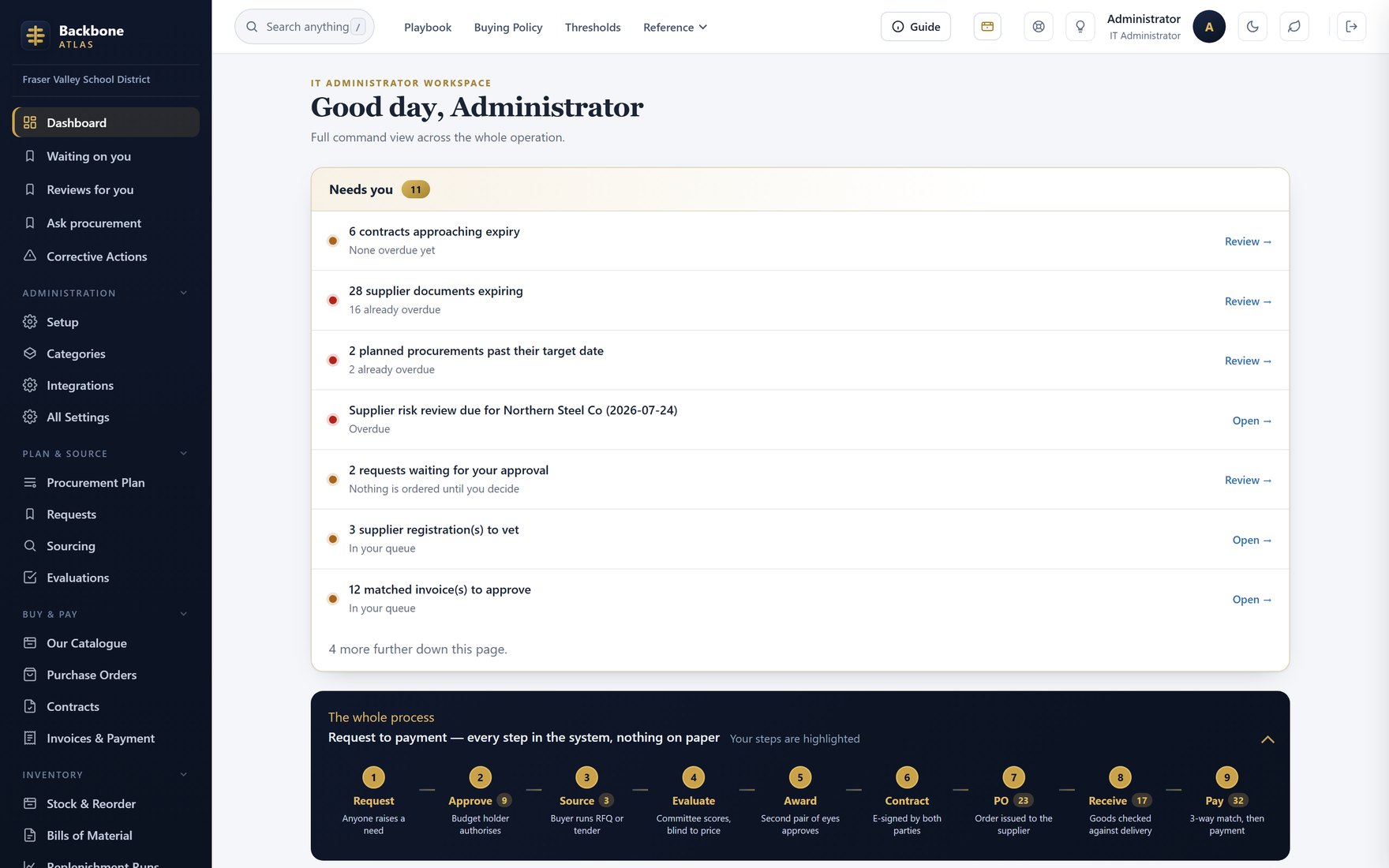
DashboardThe request-to-payment strip with live counts, above your role's numbers.
Per-step boards
The same controls on all nine screens.
Every dashboard has the same layout: figures, stage tabs with counts, filters, then the list.
- Stage tabsDraft, awaiting approval, in sourcing, ordered, complete. Each with a count.
- Figures that filterClick a figure to open that stage.
- Cut it your waySearch, year, category, department, business unit, value. More filters one click away.
- Accurate at scaleCounts cover everything you can access, not just the page on screen.
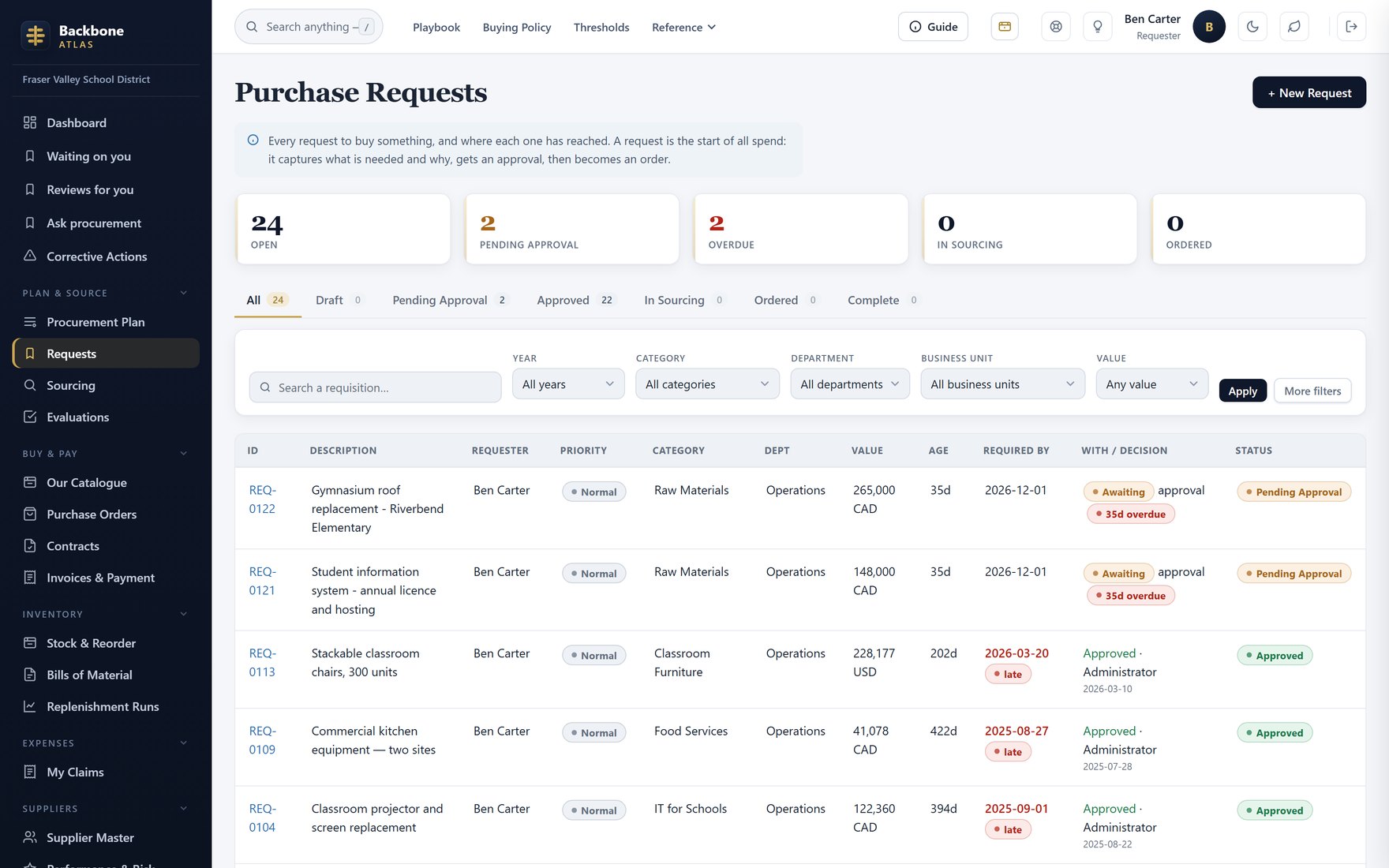
RequisitionsThe model dashboard: figures, stage tabs and filter bar.
For finance
Overdue, due this week, and discounts ending soon.
Payables opens on the invoices someone must act on. Beside them, the aging against agreed pay dates.
- AgingNot yet due, 1–30, 31–60, 61–90, 90+ days past due. Click a band.
- Due dates you can checkEach due date shows its terms. Supplier queries are answered from the record.
- Discounts before they lapseInvoices still in an early-payment window, and the saving.
- A dispute is not a late paymentDisputed invoices stay out of the aging.
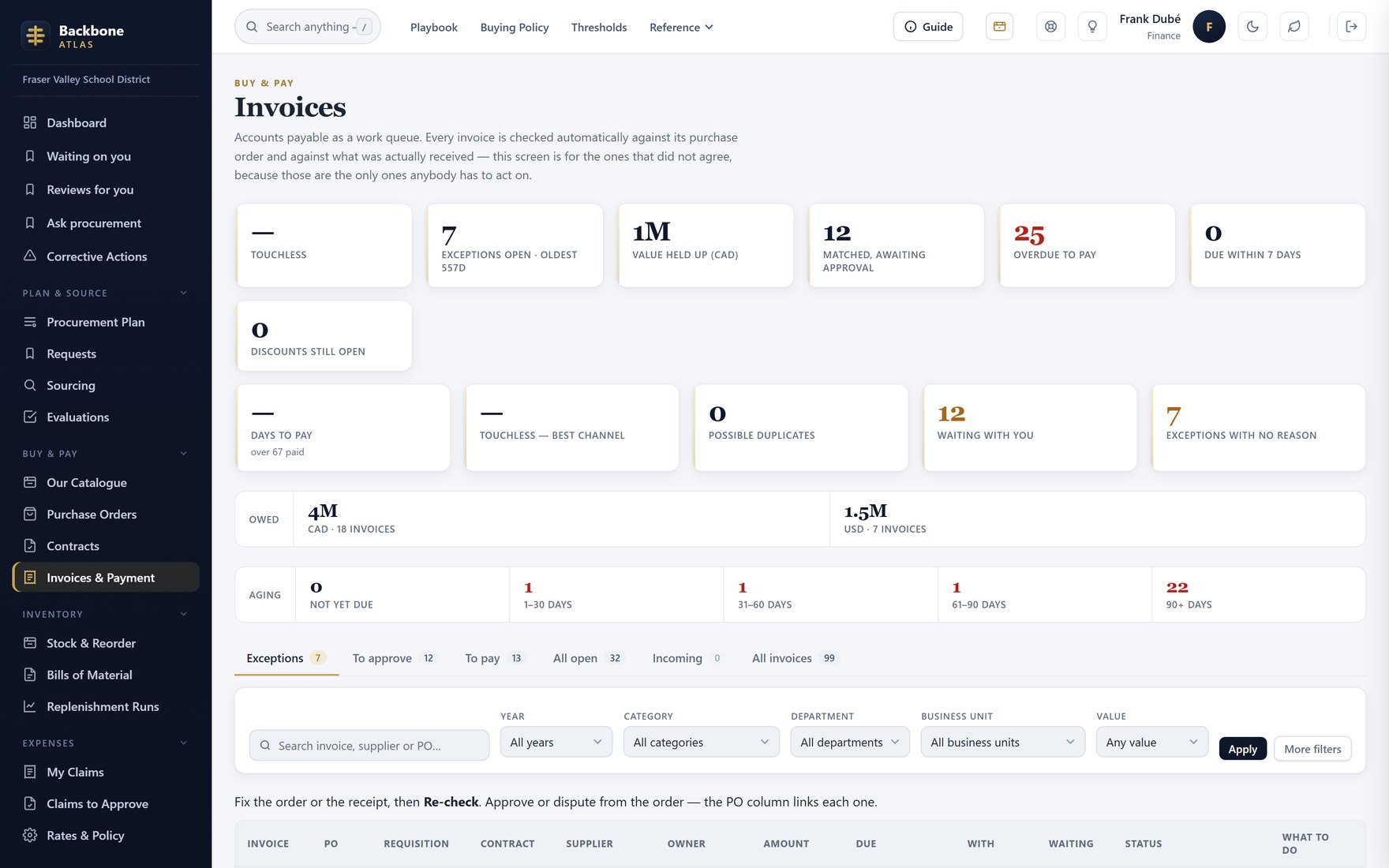
InvoicesThe payables queue with the aging strip and due dates.
The deliberate blank
No agreed terms, no due date — and Atlas says so.
Terms come from the supplier record, your standard terms, or an e-invoice. With none, there is no due date, and the screen counts it.
- Most specific winsSupplier's stated due date, then agreed terms, then your standard.
- Nothing is assumedStandard terms ship blank. A made-up 30 days could trigger interest or statutory penalties.
- The gap is visibleInvoices with no terms are counted, never quietly undated.
- Suppliers see it tooThe due date shows in the supplier portal. No “when will I be paid?” emails.
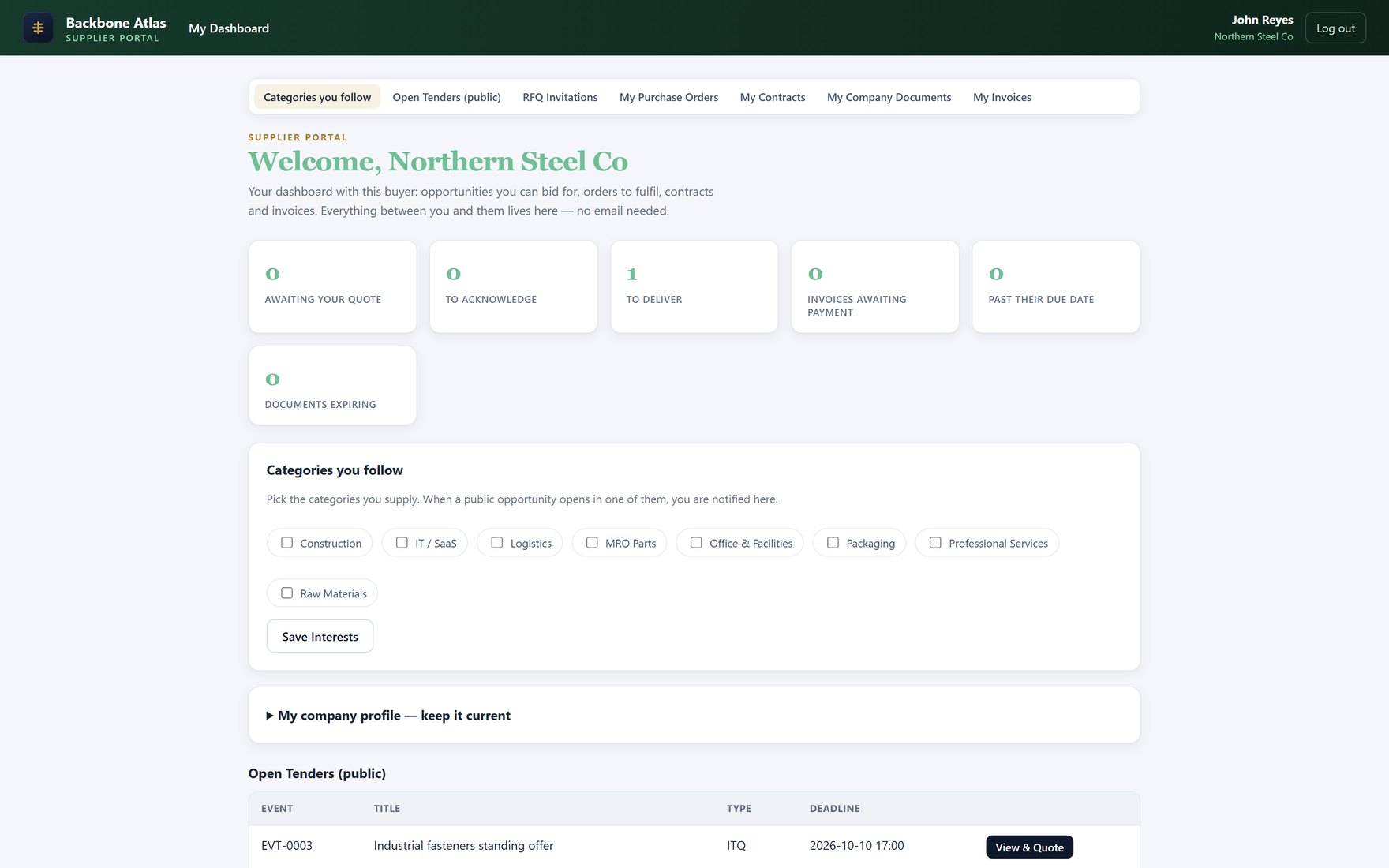
Supplier portalThe supplier's own view: what you owe them, and when they will be paid.
Measured, not typed
Supplier scores worked out from existing records.
Review scorecards now sit beside measured results: on-time delivery, supplier-fault returns, matched invoices, invitations answered.
- Nobody's opinionEvery rate comes from existing records. Nobody types it.
- Measured beside reviewedEvidence next to judgement. Reviews need both.
- Only against dates they agreedNo agreed delivery date means not measurable, not late.
- New is not badToo little history means no score, not zero. They sort last.
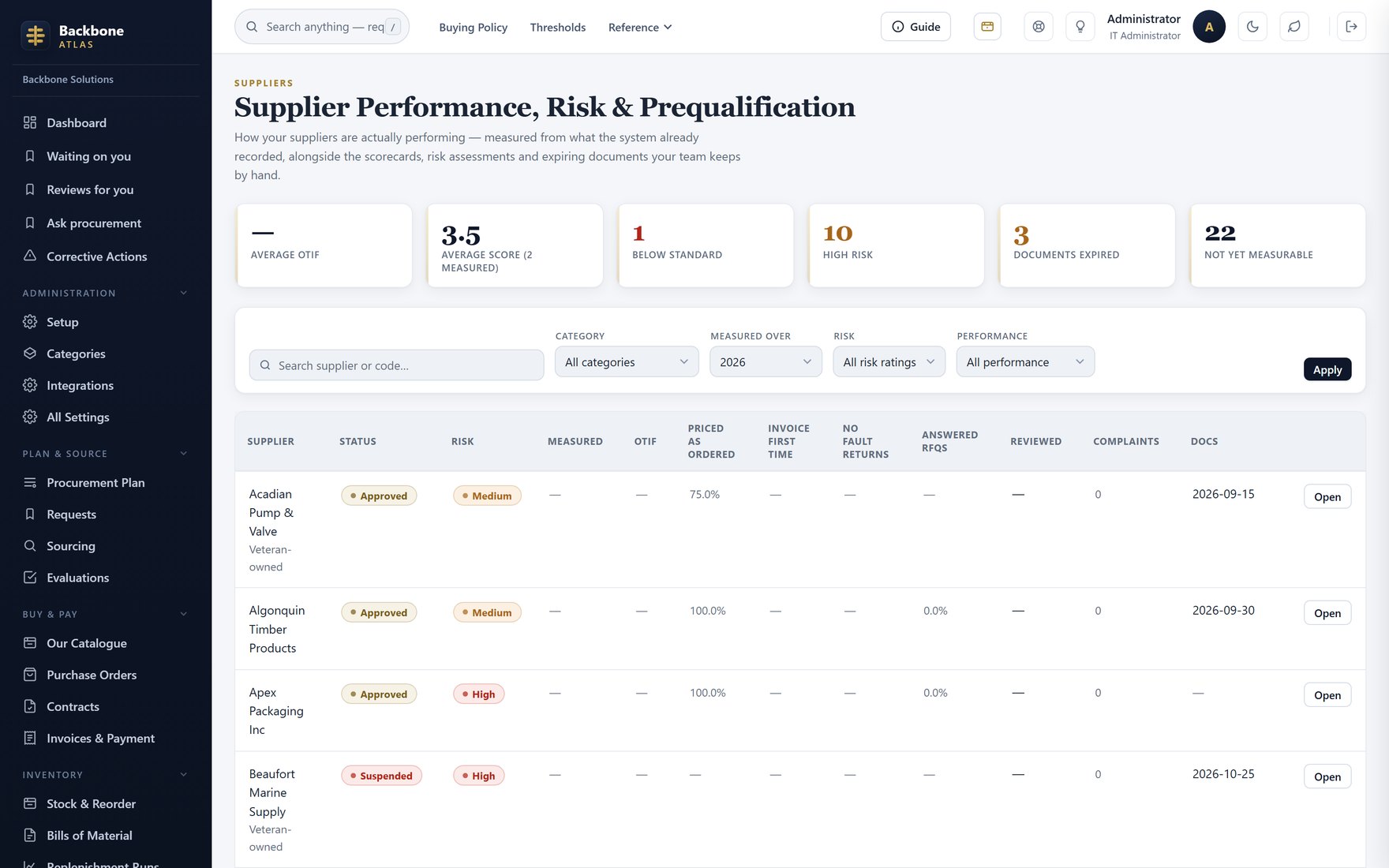
Supplier performanceAll suppliers measured over a period, beside reviewed scorecards.